
Forgetting a password is normal, and the fix is designed to be quick. The 6club login reset runs through the mobile number you registered with, takes a few minutes, and leaves your balance and history untouched. This article walks through it slowly, covers the awkward case where your number has changed, and ends with a short list of habits that stop it happening again. The 6 Club Login page has the condensed version if you are in a hurry.
A note on the name: 6club and 6 Club are two spellings of the same platform and the same account, so the reset described here applies whichever form you searched for.
Key Takeaways
- Reset early. Two failed 6club login attempts is the moment to reset, not the fifth.
- The flow depends on the registered phone; have it charged and in signal before you start.
- A reset changes only the password. Nothing else on the account moves.
- If the registered number is gone, self-service stops and support takes over with identity checks.
- Save the new password properly the first time and most repeat lockouts disappear.
Before You Reset: What to Prepare
A minute of preparation avoids the common failure where the code arrives and the moment is lost. Gather these before tapping anything on the 6club login screen.
- The phone with the SIM you registered, switched on and showing signal.
- A quiet few minutes. The code is time-limited, and reading it while distracted leads to typing an old one.
- A new password already in mind: a phrase of unrelated words, unique to this account.
- A password manager or the browser password store open and ready to save it.
- The official address or app, not a link from a chat. A reset page is exactly where a phishing copy wants you.
The 6club Login Reset Flow Step by Step
The steps are the same in the app and on the website. The wording of buttons can differ slightly between builds, so read the labels rather than tapping from memory.
- Open the sign-in screen and find the Forgot Password link. It usually sits beneath the password field.
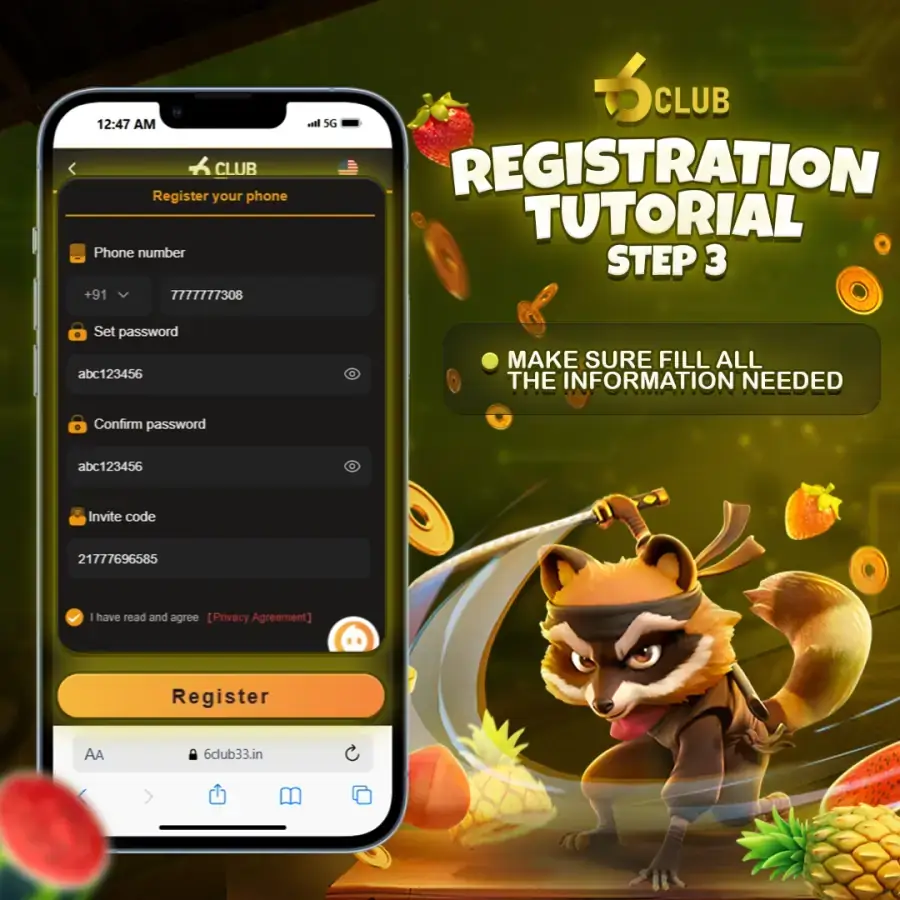
- Enter the mobile number registered on the account, including the correct country code if a separate box is shown.
- Request the verification code and wait for the SMS on that phone. Do not tap send again until the on-screen countdown finishes.
- Type the code from the newest message. If the screen reports it as expired or invalid, follow the on-screen notice and request a fresh one.
- Enter the new password twice. Make it different from the old one and from any password you use elsewhere.
- Confirm, then return to the sign-in screen and log in with the new password straight away to prove it took.
- Save the password in your manager while it is fresh, and delete any note or screenshot you made during the process.
If the last step succeeds, your 6club login is back and you are done. Any earlier sessions that were still open may be closed by the change; that is expected, and you simply sign in again on those devices.
If the Reset Code Does Not Arrive
A missing code is the most common reason a 6club login reset stalls, and it is almost always a phone-side issue rather than a platform one. Work down this list before assuming the account is blocked.
- Check the phone has signal. Step outside or move away from a basement or lift if needed.
- Look in SMS spam or filtered folders and in any blocked-sender list on the messaging app.
- Make sure you entered the number registered for your 6club login, not a newer one you use day to day.
- Wait for the countdown before requesting again. Each request can invalidate the previous code.
- If the screen shows a request limit or a wait message, follow the on-screen notice rather than reopening the page to bypass it.
When Your Registered Number Has Changed
The self-service 6club login reset relies on receiving an SMS at the number on the account. If that number is no longer yours, the automatic route cannot work, and the case moves to support. That is slower, but it is also the only way to be sure the account goes back to the right person.
| Situation | What to do |
|---|---|
| Same number, new phone | Move the SIM to the new phone and use the normal reset |
| Number temporarily out of service | Restore the SIM or wait for reactivation, then reset |
| Number permanently given up | Contact support and ask to update the registered number |
| Number now used by someone else | Contact support immediately and ask for the account to be secured |
Before you write to support, gather what you can: the old number, the approximate date you registered, and any details of recent activity you remember. The more you can confirm, the shorter the back-and-forth. The account recovery article lists what to include in that first message.
Contacting Support: What to Include
Use only the official contact page. Anyone who reaches you first on a chat app claiming to be support is not. A useful first 6club login support message contains the following and nothing more.
- The mobile number on the account, and the new one if it changed.
- What you tried already, in one or two lines.
- The exact wording of any message the screen showed.
- Whether you were using the app or a browser.
Never include your password, an OTP, or bank details in any message. Genuine support does not need them and will not ask. If your account is ever blocked while a support case is open, follow the on-screen notice and mention it in the same thread.
Preventing Repeat 6club Login Lockouts
Most people who reset once will reset again within a few weeks, because the new password was never saved anywhere reliable. These habits break that cycle.
- Save the password in a password manager the moment you set it, and sign in once from that saved entry to confirm it works.
- Pick a memorable phrase rather than a random string you will never recall on a new phone.
- Keep the registered mobile number current. If you change SIM, update the account before the old number goes dead.
- Reset after two failures, not five. Repeated 6club login attempts are what trigger a temporary restriction in the first place.
- Bookmark the official address so you are never resetting on a copy of the page. The login security article explains how to recognise one.
Finally, a word of proportion. 6 Club is for adults aged 18+ only, and every game is chance-based, so time spent locked out never changes an outcome you would have had. Set a budget and a time limit before you play, and if a reset has taken the evening, let it be the evening. For wider advice on protecting online accounts, the Google Safety Center is a clear, neutral reference.
Frequently Asked Questions
Does a password reset change anything else on my account?
No. A reset only replaces the password. Your balance, game history, profile details and registered mobile number stay exactly as they were.
Can I reset my 6club login password by email?
The self-service reset works through the registered mobile number and an SMS code. If you cannot receive SMS on that number, the reset becomes a support request with identity checks.
The reset OTP never arrives. What should I do?
Wait for the on-screen countdown before requesting again, check signal and SMS filters, and confirm the phone with the registered SIM is on. If the screen shows a limit or expiry message, follow the on-screen notice.
How do I stop forgetting my 6club login password?
Save the new password in a password manager immediately, sign in once to confirm it works, and avoid changing it again unless there is a security reason. A memorable phrase is easier to keep than a random string.